Savings goals
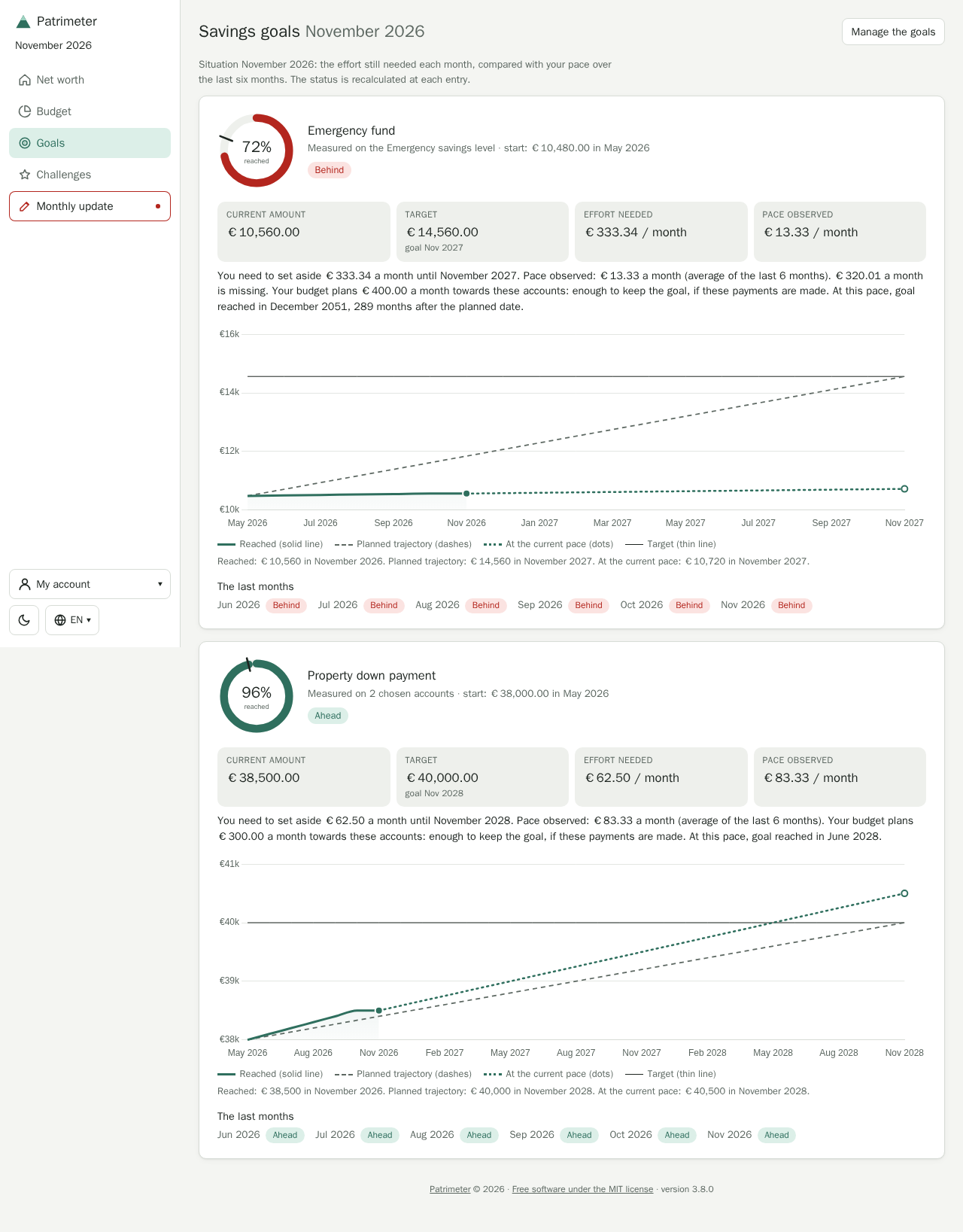
Goals menu of the main bar, between Budget and Monthly update: an amount to reach by a date, and every month, Patrimeter tells you whether you are on track. Nothing more to enter: the follow-up is computed from your monthly balances.
Setting a goal
Goals are created and changed in Monthly update, Goals tab: New goal, or a goal's name to change or delete it.
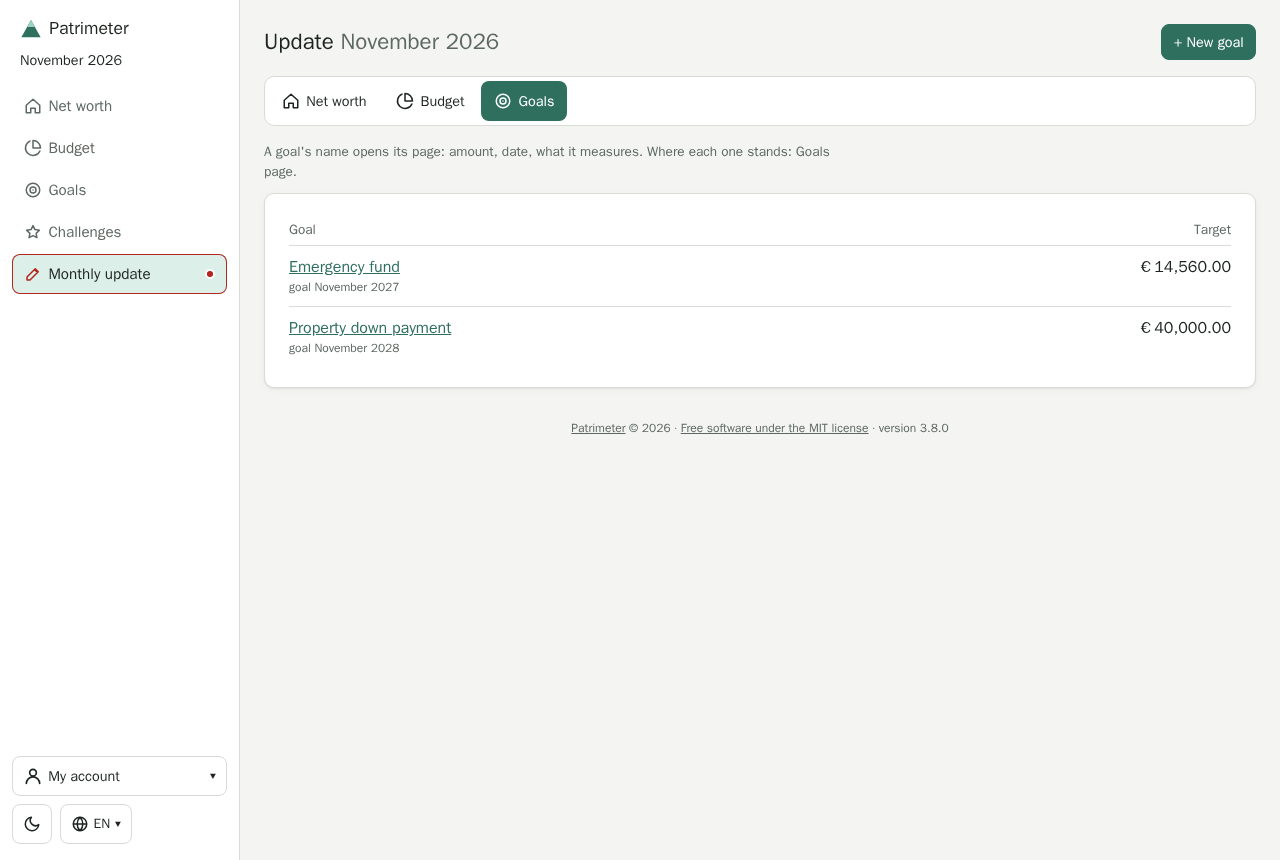
New goal:
- Name: "Down payment for the house", "Emergency fund"…;
- Target (list): an amount, or months of budget spending (for instance 6 months for an emergency fund): the amount then follows each month the spending (needs and wants) of the budget. The next field depends on this choice: Amount to reach, or Number of months of spending;
- Start month: this month by default, or a past month for a goal already under way (for instance savings begun in January);
- To reach by: a month after the start month, and to come;
- What the goal measures (list):
- the whole net worth;
- one level of the pyramid (for instance emergency savings): the Pyramid level list appears;
- chosen accounts (for instance the Livret A and the LDDS): the list of Accounts to tick appears. A loan ticked counts negatively.
Only the fields useful to the choice made are shown; without JavaScript, all of them are shown, each with the case it is for.
The starting point is the value measured in the start month: it fixes the trajectory. It does not change if you then change the target or the date; it is computed again if you change the start month or what the goal measures. Twenty goals at most.
On track or off track?
Every month, for each goal:
- the effort needed: what is missing, divided by the months left ("you need to set aside €450 a month until November 2027");
- the pace observed: the average progress of the last six months (fewer if the goal is more recent). An average smooths the ups and downs of the stock market;
- the status, always written in words:
| Status | When |
|---|---|
| Reached | the amount is reached |
| Ahead | the pace exceeds the effort needed by at least 20 % |
| On track | the pace covers the effort needed |
| To watch | the pace covers between 80 % and 100 % of the effort |
| Behind | the pace covers less than 80 % of the effort, or the date has passed |
| Too early to tell | the goal dates from this month: the pace is measured from the next month |
If more is needed, Patrimeter tells what is missing each month and the month the goal would be reached at this pace. If savings items of the budget go to the goal's accounts, it also compares the planned savings with the effort needed.
On the Goals page, each goal reads as follows:
- a ring gives the share of the target reached ("72% reached"); a mark on the ring shows where the planned trajectory should put you this month: a ring going past the mark is ahead, one falling short of it is behind;
- the status as a pill, next to the name;
- tiles for the key figures: current amount, target and its month, effort needed and pace observed per month;
- a chart from the start to the target month: what is reached (solid line over a coloured area), the planned trajectory (dashes), the projection at the current pace (dots) and the target (thin line). On hover or touch, a bubble gives the amounts of the month. Under the chart, a sentence repeats the figures (screen readers, pages without JavaScript);
- the status of the last months.
Where to see it
- Goals page (main bar): each goal, its status, its chart and its last months.
- After the monthly entry: a message for each goal whose status changes ("Goal "Down payment": Behind → On track").
Goals are encrypted like the rest of your data, and are part of the export. As the server cannot read your data outside your session, no report is sent by email: the follow-up is looked at in the application.