Family account
A family account brings together the net worth and the budget of a couple, each keeping their own account: each person enters their data on their side, exports it every month, and the family account imports it. The Net worth page (with its history), the Budget page and the report then show the family, or each person.
Setting up
- Each person creates their Patrimeter account and enters their accounts, their balances and, if they wish, their budget.
- Create a third account, for the family (another email address).
- In this account, open Family members (Bring a family together on the welcome Net worth page, or the Your data page), then Add a member: their name and their export file. As long as no member is imported, the page starts with the three monthly steps.
A family account brings together two members at most.
What is shared: each person's share
The family adds up its members' data: so that nothing is counted twice, each person enters their share of what is shared.
| Shared | What each person enters |
|---|---|
| Joint account | half of its balance (or their share) |
| House bought together | the property with its share (50%…) and its linked loan, pro rata (see Real estate) |
| Rent, groceries, bills | their share of each expense, in their budget |
The family account can also have its own accounts, the children's for example: they count in the family.
Every month
- Each person downloads their data: My profile, Export or import, then Download my data.
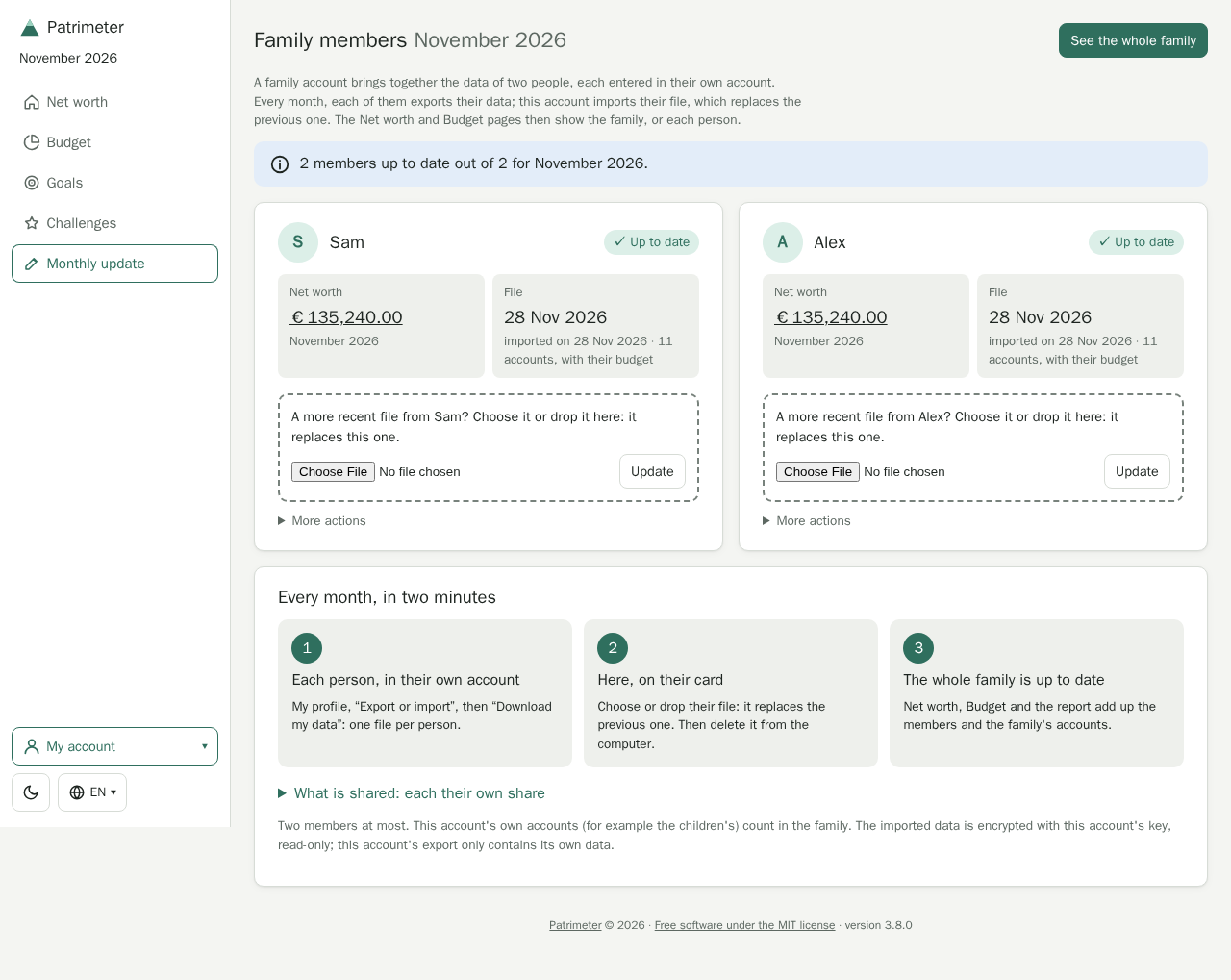
- In the family account, Family members: on each member's card, choose or drop their new file, then Update; it replaces the previous import.
At the top, the page says how many members are up to date for the month ("1 member up to date out of 2 for November 2026"). Each card carries the member's status, in words: Up to date, or To update when their file is from a previous month; it also gives their net worth, the date of the file, the date of the import and the number of accounts. More actions, then Remove … from the family, deletes their imported data from the family account, never from their own account.
Family views
As soon as a member is imported, the Net worth page, the report to share and the budget offer a choice at the top of the page:
- Whole family (by default): the members' accounts and the family account's own; the budget brings together the members' budgets;
- one member: their data only, as they see it in their account;
- Family's accounts: the family account's own accounts, the children's for example, if it has any.
A line under the choice recalls what the view adds up, and flags each member whose file is to update ("Julien's file to update", with a link to the members). In these views, the balances are counted "of the month" or "carried over": they come from the members' files, not from an entry in the family account.
The choice is kept from one page to the next. In the family:
- imported accounts carry the name of their member ("Savings account · Alex") and cannot be changed;
- the budget is read-only: each member becomes an adult, with their income and all their categories; there is no joint account to split, since each person entered their share. Children with the same first name are brought together, and their cost adds up both budgets; the emergency savings target is the higher of the two;
- the Net worth page recommendations compare the family's emergency savings with the family's expenses.
Privacy
- Imported data is encrypted with the family account's key, like all wealth data: the server administrator cannot read it.
- The export file is not encrypted: delete it once imported.
- The family account's export only contains its own data, not its members'.