Real estate
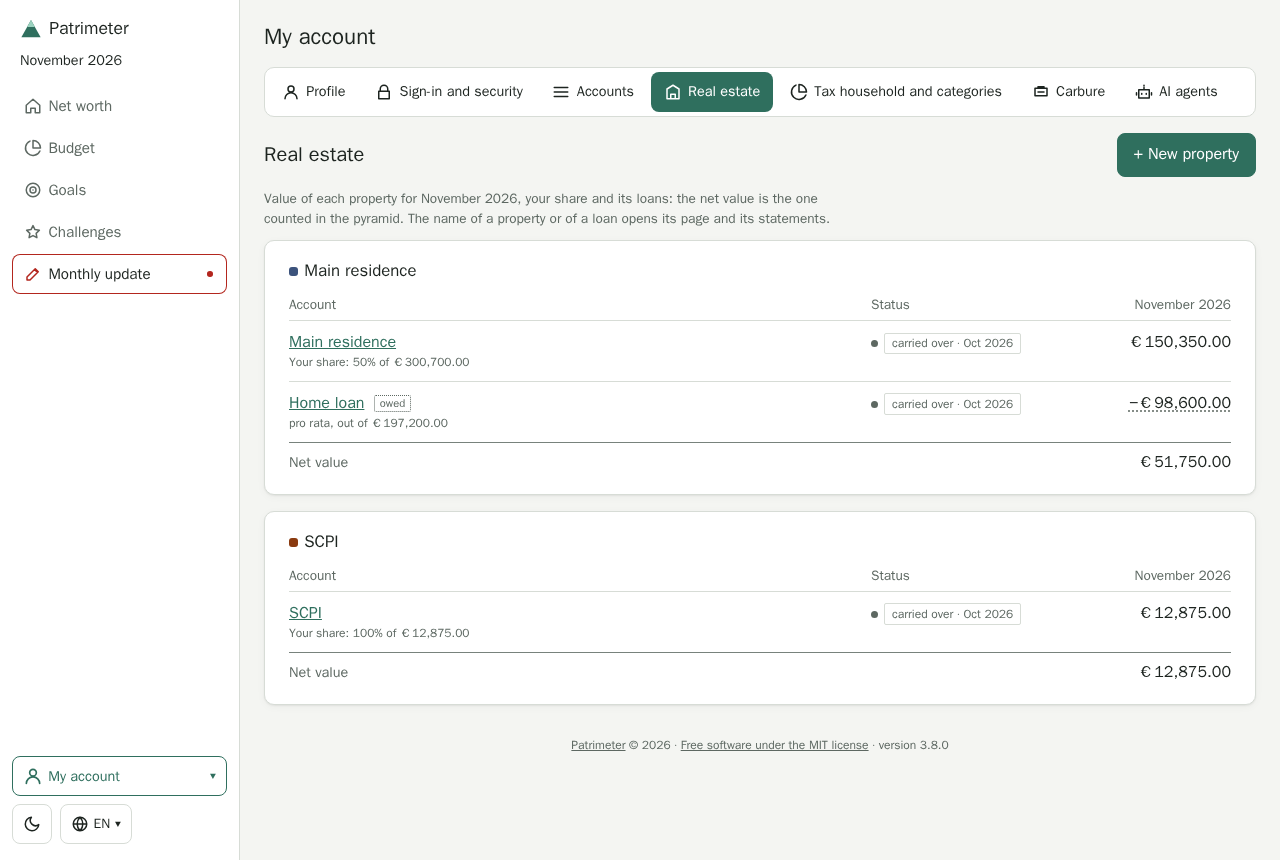
Real estate tab of My account: one table per property, laid out like the list of accounts. The property first, with your share of its value and the value counted for you, then its loans (each one with the way it is counted and its outstanding principal), each with its status (entered or carried over); at the bottom, its net value, the one the pyramid counts. The name of a property or of a loan opens its page. Properties (main residence, rental, SCPI, SCI…) are only created here, with their share and their loans; the account form does not offer them.
Creating a property and its loans
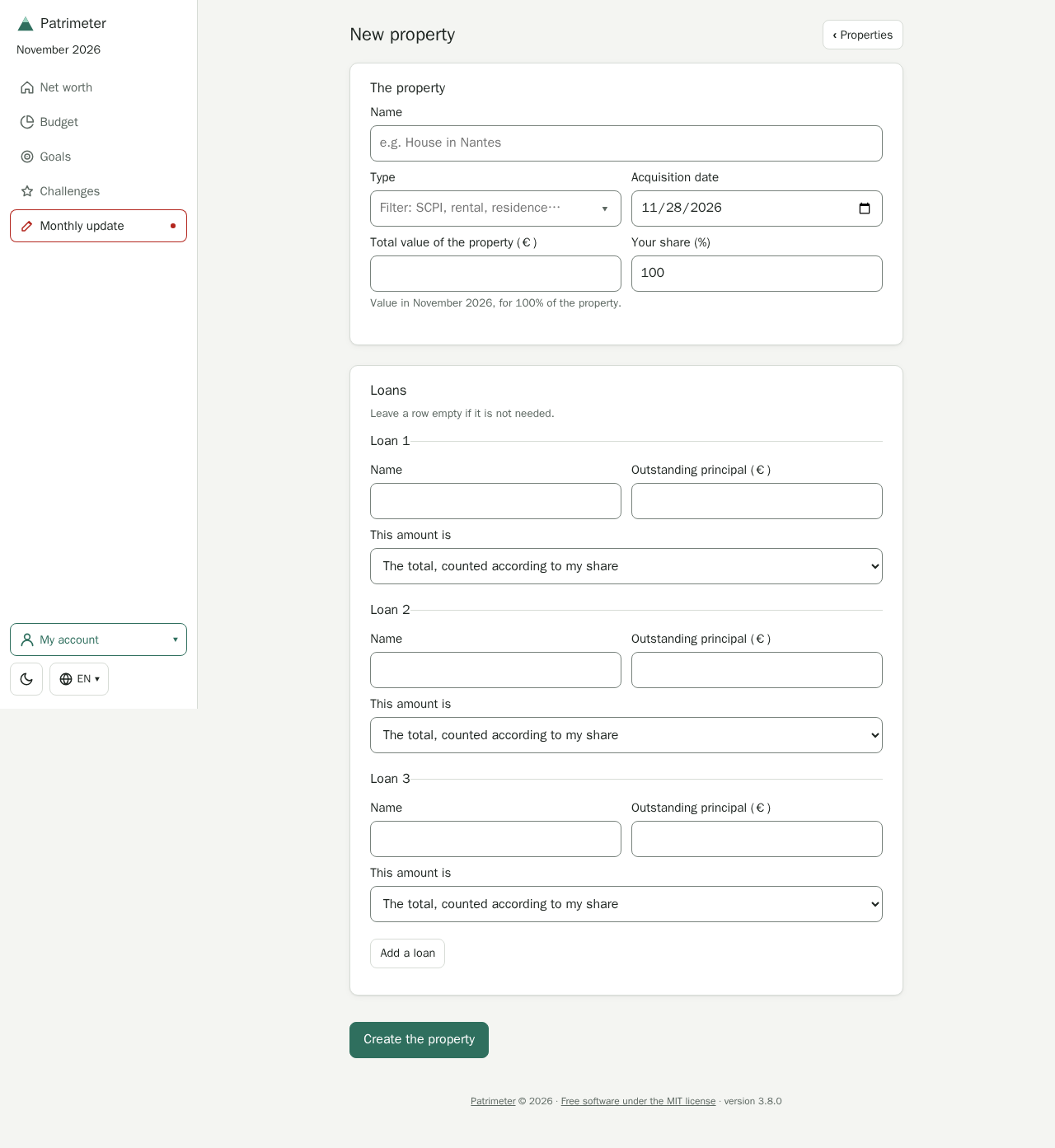
New property creates the property and its loans in one go:
- Type: main residence, second home, furnished (LMNP) or unfurnished rental, SCPI, SCI, SIIC. A click on the field (or on its arrow) shows the whole list; type to keep only the types that contain the text ("scpi", "rental"…), ignoring case and accents. A second home counts in the Real estate level of the pyramid, and its loans are second home mortgages;
- Total value of the property: the value of the whole property, even if you only own part of it;
- Your share (%): 100% by default, 50% for a property owned by two…
- Loans: name and outstanding principal of each one; Add a loan for one more loan.
Share and loans
Each linked loan is counted in one of two ways:
| The amount entered is | Counted |
|---|---|
| the total, counted according to my share (prorata) | outstanding principal × your share of the property |
| my own share | as is |
Example: a €200,000 property owned at 50%, a joint loan of €100,000 (prorata) and a personal loan of €10,000 (your share):
- value counted: 200,000 × 50% = €100,000;
- loans: 100,000 × 50% + 10,000 = €60,000;
- net value for you: €40,000.
The share can change over time (buying a share, donation): on the property's page, Your share of the property records a new share from a given month. An existing loan is linked to a property from its own page (Financed property).