Accounts and loans
An account is something you own (current account, savings account, life insurance, PEA…), a loan something you owe (mortgage, consumer loan…). Accounts tab of My account (account menu, My profile). Properties have their own tab, Real estate: they are created there, with your share and their loans (real estate). To create many accounts, properties and loans in one go, from a spreadsheet: CSV import.
The list shows your accounts like the monthly update: one table per level of the pyramid, with for each account its type, its status (entered this month, or carried over: last known balance) and its balance for the month. A loan is marked owed, with its outstanding principal preceded by "−". An account's name opens its page.
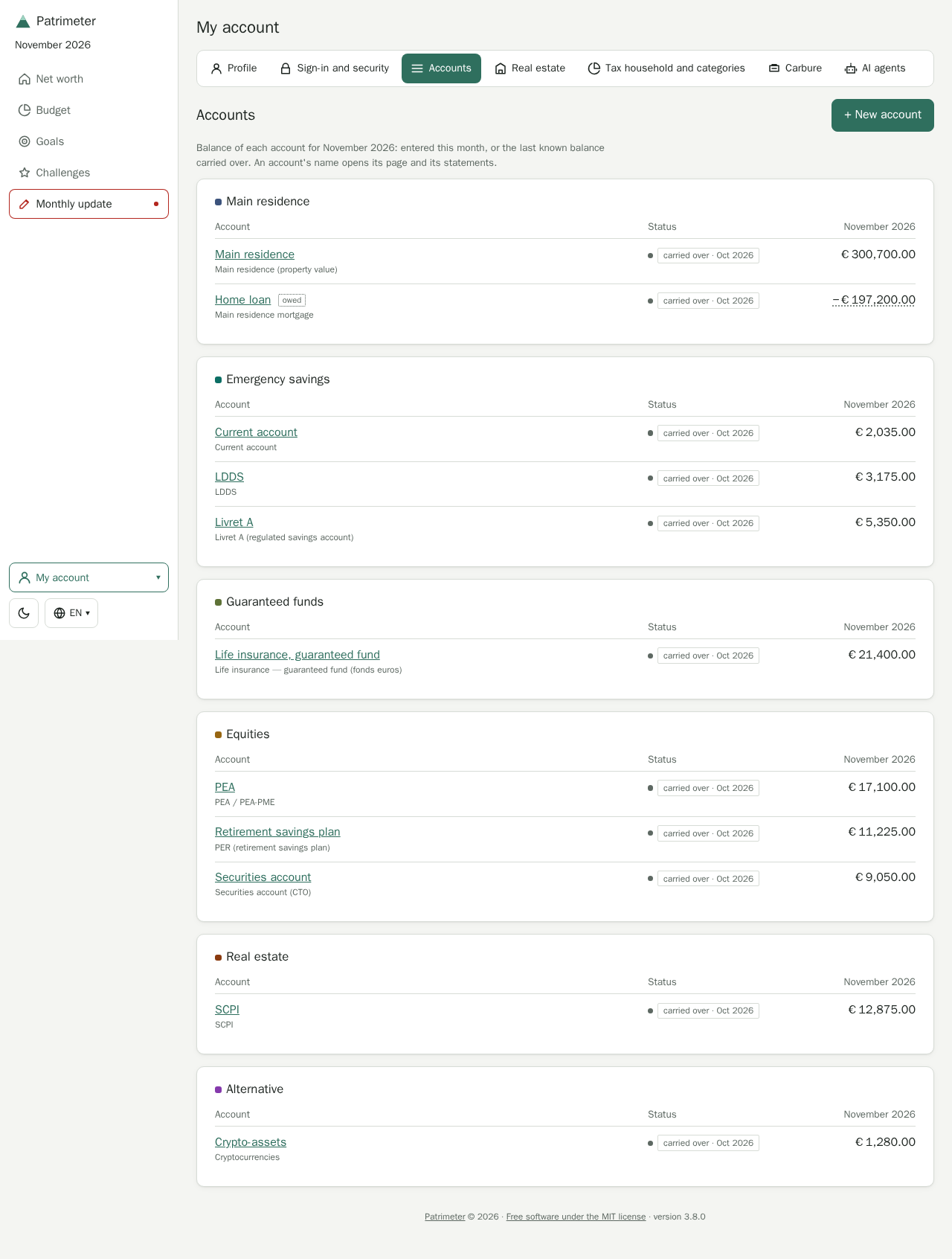
Changing the opening date cannot put an existing statement before the account’s first active month.
Creating an account
+ New account, then:
| Field | Purpose |
|---|---|
| Name | What you call it ("Marie's Livret A") |
| Type | Predefined types; the type suggests the level and the nature. In the Alternative level, tangible assets: gold, silver and other precious metals, jewellery, watches, works of art and collectibles, wines and spirits, car, motorbike (enter their estimated resale value). Manager or partner of a company: Shares of an unlisted company (your share of its value) and, if you lent it money, Shareholder current account, both in the Alternative level, which you may change. A click on the field (or on its arrow) shows the whole list, over several columns on a wide screen; type to keep only the types that contain the text ("livret", "pea", "mortgage"…), ignoring case and accents; arrows and Enter to choose with the keyboard |
| Pyramid level | Main residence, emergency savings, guaranteed funds, equities, real estate, alternative |
| Asset or liability | Asset (account, investment, property) or liability (loan, debt) |
| Opening date | The account counts from this month on |
| Current balance | Optional: balance for the current month |
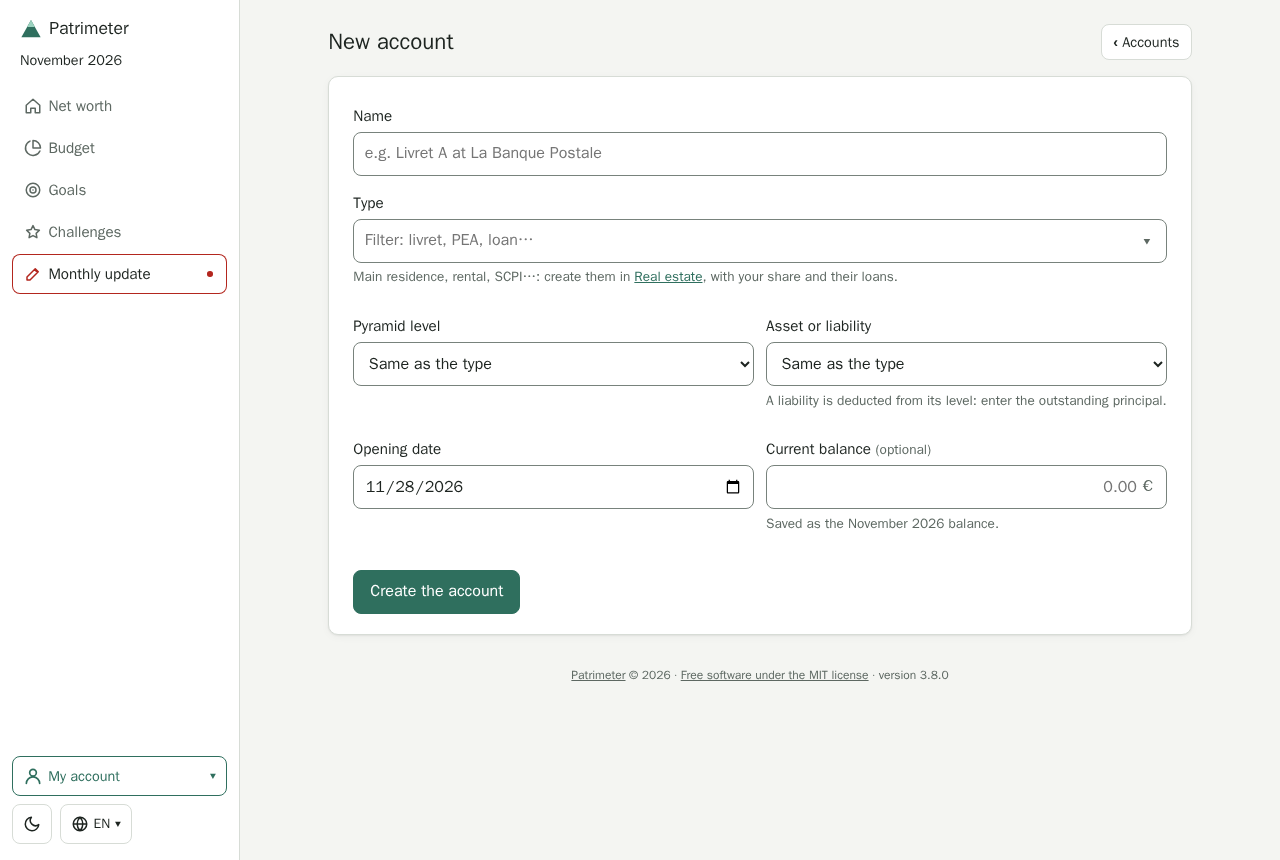
For a loan, enter the outstanding principal, as a positive amount: Patrimeter subtracts it from the level.
Balances
An account's page recalls its type, its level, whether it is an asset or a liability and its opening date, then lists its balances month by month; Add or correct a balance enters or corrects a past month. The month is picked from the calendar, as at the top of the pages. The usual monthly entry is rather done in the monthly update, for all accounts at once.
Reading a bank statement
Rather than copying a balance, Or read the balance of a bank statement takes the file your bank exports for this account, in OFX (or QFX) or CAMT.053 (ISO 20022) format: Patrimeter reads its closing balance and its date, then fills in the month and the amount of the form. Check them, then Add or correct a balance: nothing is saved before. For a loan, the negative balance of the statement becomes the capital owed.
The QIF and CSV files of the banks give the transactions, without the balance: export an OFX or CAMT.053 statement instead (most banks offer them where you download your transactions). A file in a foreign currency, or that holds several accounts, is refused with a message that says what to do.
Closing, reactivating, deleting
- Archive with a closing date: the account no longer counts from the following month on; its history stays.
- Reactivate an archived account.
- Delete permanently: the account and all its balances disappear, including from the history.